
911Proxy vs Insocks: residential and SOCKS5 proxy comparison
This 911proxy review lines up two active vendors selling rotating residential, static residential, ISP and datacenter access, comparing protocol support, targeting depth, billing unit and published limits. Figures come only from each provider’s own pricing pages and documentation, checked in August 2026. One vendor bills per GB and per IP across several product lines; the other sells per product page. Anything unpublished is marked as such.
Is 911Proxy the same service as the old 911.re?
No. These are two different domains tied to two different services, and the mix-up is common enough to clear up first. 911.re shut down in July 2022 after disclosing a breach, reported at the time by Krebs on Security. A separate matter, the 911 S5 botnet, was dismantled by the US Department of Justice in May 2024, per its own release. Neither event describes the site reviewed here. 911proxy.com currently runs a working site, a documentation portal and a paid support desk.
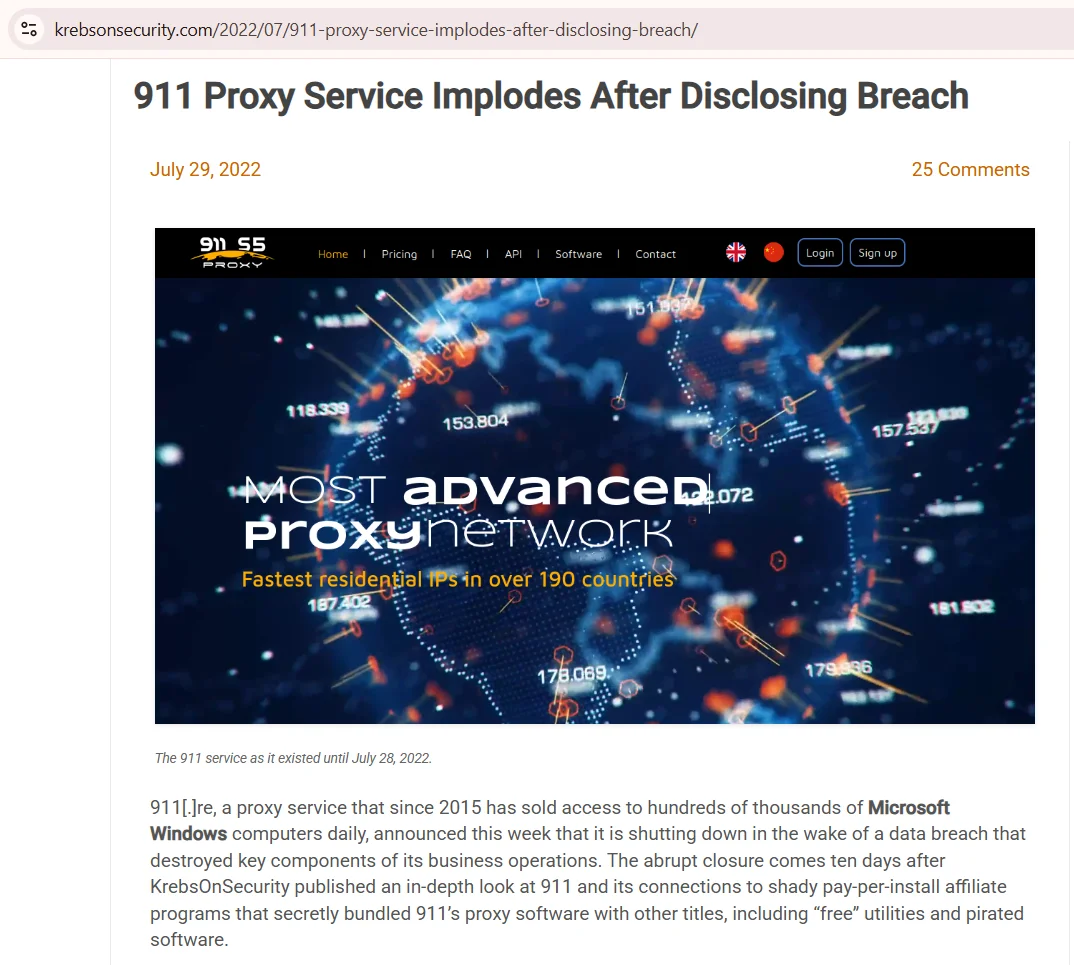
Source: 911 Proxy Service Implodes After Disclosing Breach, krebsonsecurity.com, screenshot taken 20.08.2026
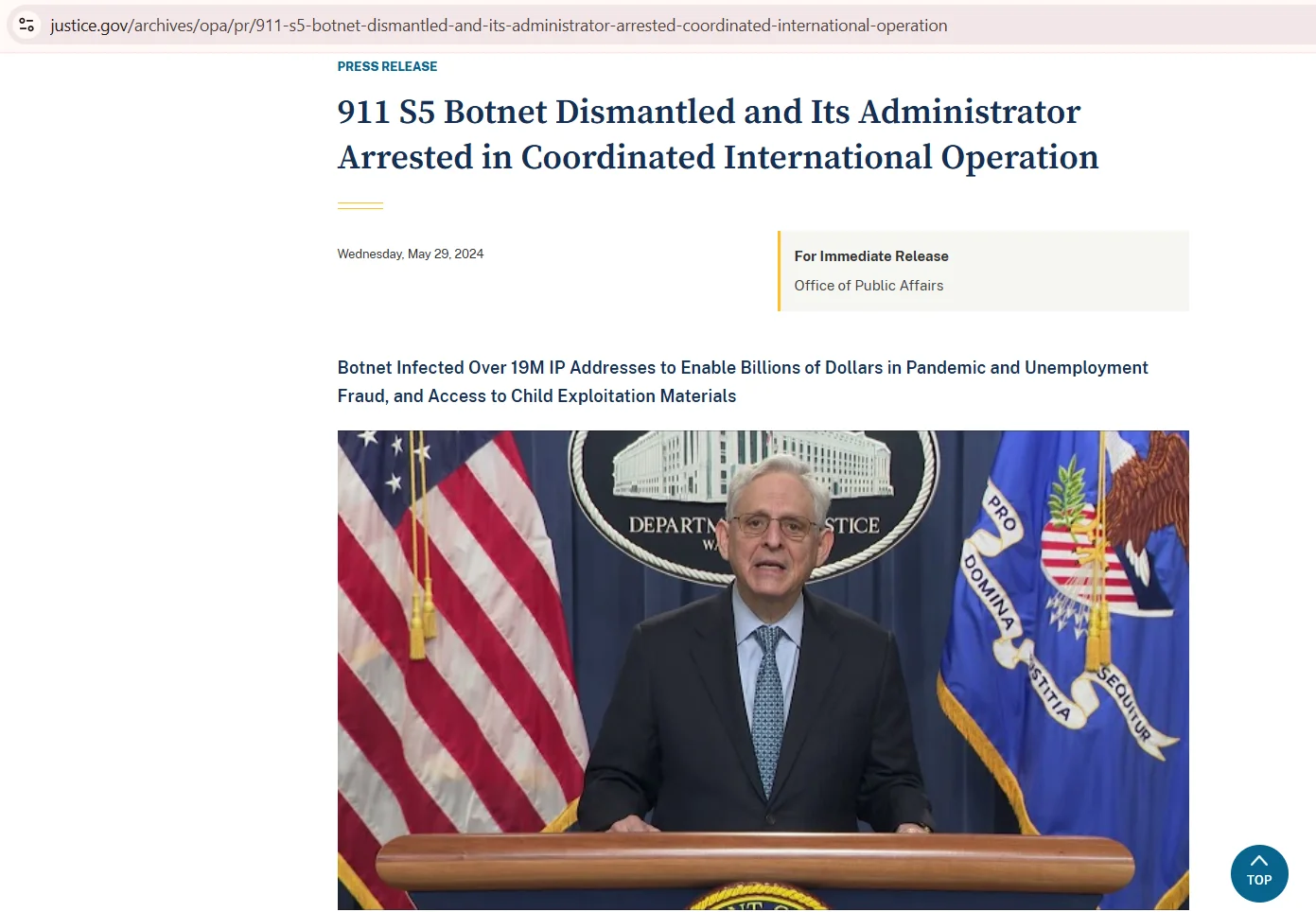
Source: 911 S5 Botnet Dismantled and Its Administrator Arrested, justice.gov, screenshot taken 20.08.2026
911Proxy vs Insocks: comparison summary
911Proxy publishes tiered per-GB pricing, a flat unlimited-period plan and per-IP static lines, plus a Web Scraper API and a SERP API. Insocks publishes its lineup as separate product pages: residential, ISP, static, mobile and UDP proxies, with SOCKS5 and HTTP access and a separate proxy score tool for checking IP reputation. Read residential IP pool size and uptime figures as vendor statements: neither side publishes an independent audit.
| Criterion (data as of August 2026) | 911Proxy | Insocks |
|---|---|---|
| Proxy types | Rotating residential, unlimited residential, static residential, Long Acting ISP, static datacenter | Residential, ISP, static, mobile, UDP |
| Protocols | HTTP and SOCKS5 | HTTP, HTTPS and SOCKS5 |
| UDP | ❌ not documented | ✅ sold as a separate product line |
| Targeting | ✅ country, state, city, ISP and ASN | US coverage stated on the product page; deeper levels not published |
| Authentication | ✅ username and password, IP whitelisting | ✅ username and password, IP whitelisting where the plan offers it |
| Billing unit | Per GB, per IP, per unlimited period | Per product plan, see the product pages |
| Entry tier | $2.70 per GB on residential at the 10 GB tier, promotional price | From $0.40 per IP for 24 hours |
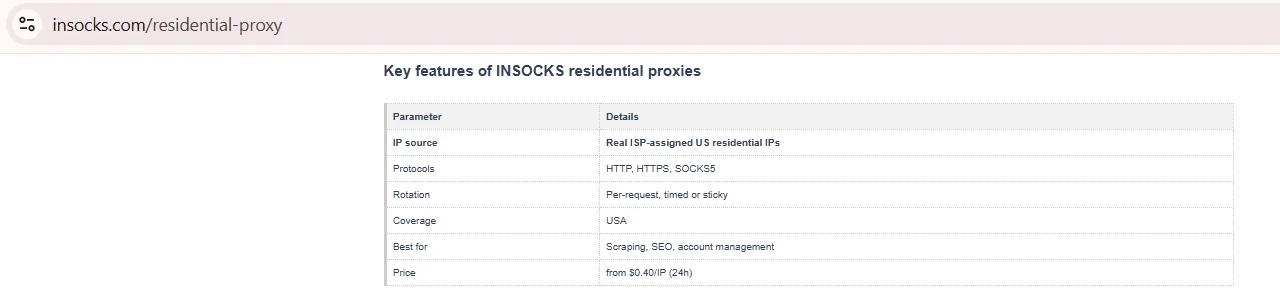
Source: Key features of INSOCKS residential proxies, insocks.com, screenshot taken 20.08.2026
Legend: ✅ documented by the vendor · ❌ not offered or not documented · ⚠️ documented with limits · 💡 practical tip. The same marks are used in every table below.
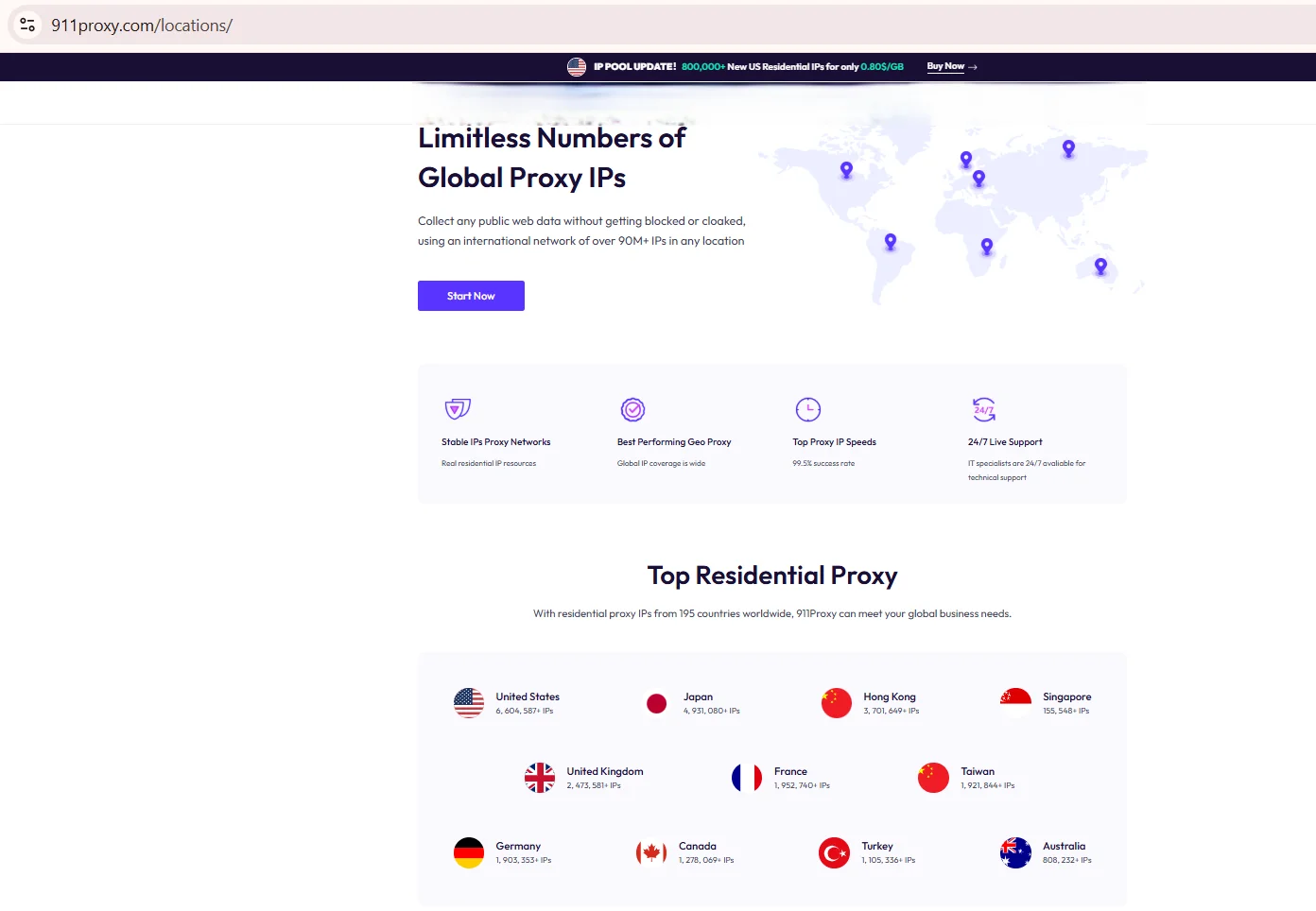
Source: Locations, 911proxy.com, screenshot taken 20.08.2026
Before you budget from this table, open the live pricing page and check whether a promo banner is running, because that shifts the entry tier shown above.
Product lines compared category by category
Comparing unlike products tells a buyer very little, so each line here sits next to its own match. A residential proxy comparison only holds up when both sides sell that exact product type, and both do. Static and ISP lines get separate treatment because billing and use case differ sharply from rotating residential traffic. Where a vendor has no matching product, the row says so instead of substituting a stand-in.
- ✅ Rotating residential: 911Proxy sells it per GB, Insocks sells it as a product plan
- ✅ Static residential: 911Proxy sells it per IP, Insocks lists it as a static product
- ✅ ISP: offered by 911Proxy as Long Acting ISP billed per GB, listed by Insocks as an ISP product
- ✅ Static datacenter: sold per IP by 911Proxy, not listed as a separate product page by Insocks
- ✅ Mobile and UDP: sold by Insocks as separate lines, not documented as products by 911Proxy
Rotation frequency, sticky session length and thread caps deserve as much attention as the sticker price, and both vendors document those away from the pricing table. Which of the two shapes fits a given workload is the subject of a separate guide to static vs rotating proxies.
Protocol support and targeting depth
Protocol coverage decides whether a stack works with a given tool at all, so this section reads documentation rather than homepage badges. Both sides document SOCKS5 residential proxy access and HTTP. UDP is the field vendors skip most often, which is why it gets its own row instead of a blanket yes. What the protocol generations actually change is covered in our guide to SOCKS4 vs SOCKS5.
| Parameter (data as of August 2026) | 911Proxy | Insocks | Documented in |
|---|---|---|---|
| HTTP | ✅ | ✅ | Vendor documentation |
| SOCKS5 support | ✅ | ✅ | Vendor documentation |
| UDP | ❌ not documented | ✅ separate product line | Product pages |
| Country targeting | ✅ | ✅ | Vendor documentation |
| State targeting | ✅ | Not published | Vendor documentation |
| City and ASN targeting | ✅ | Not published | Vendor documentation |
| IP whitelisting | ✅ | ✅ where the plan offers it | Vendor documentation |
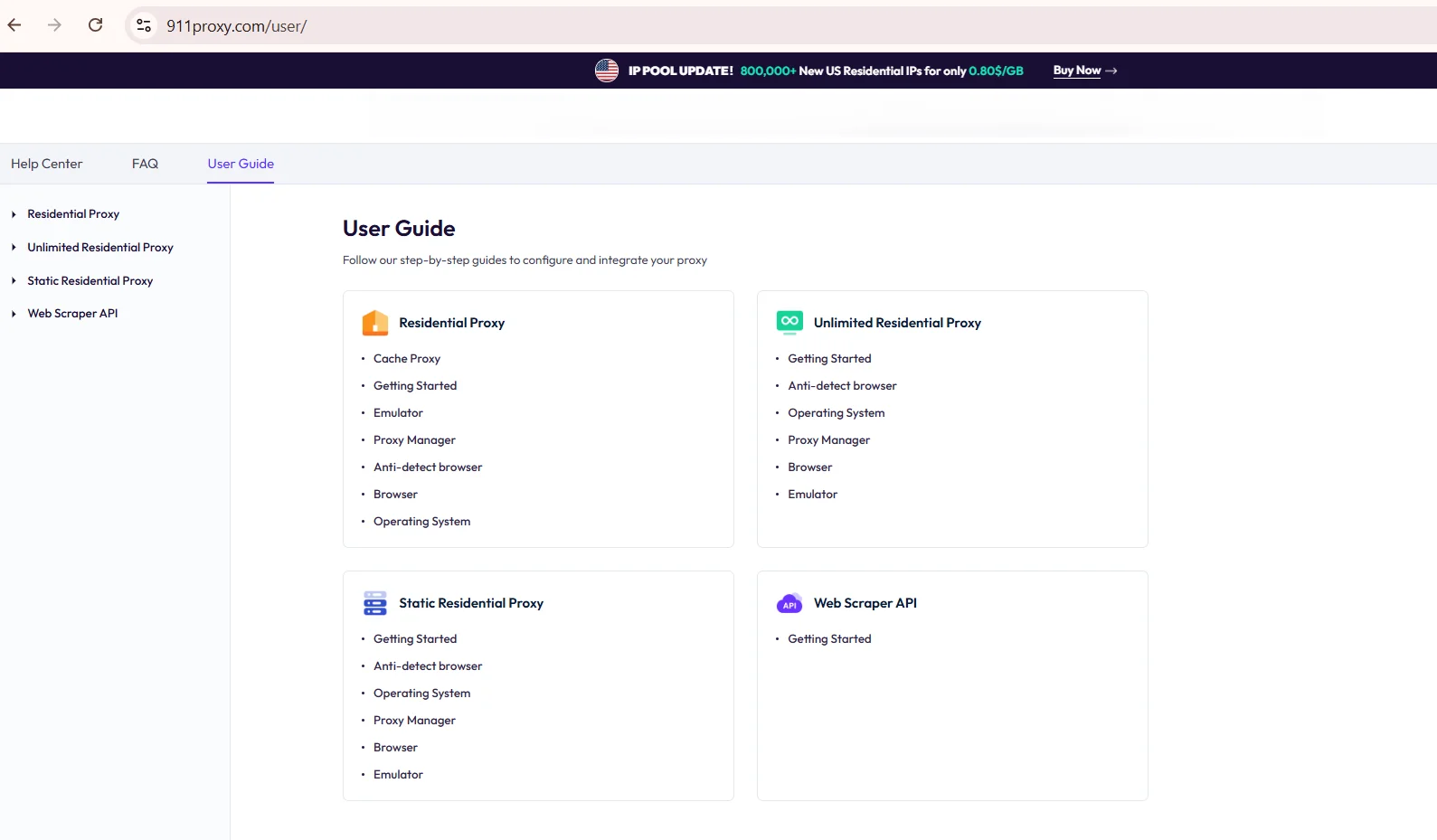
Source: User Documentation, 911proxy.com, screenshot taken 20.08.2026
Neither side publishes a full ASN table for every country, so treat ASN coverage as available where stated rather than guaranteed. The parameters worth weighing before you pick a plan are listed in our proxy selection criteria.
Pricing models and how to compare across them
911proxy pricing spans three shapes: price per GB for rotating traffic, a flat unlimited-period plan, and price per IP for the static lines. At the lowest published volume tier in August 2026 that reads as $2.70 per GB on rotating residential, $1.50 per GB on Long Acting ISP, $3.50 per IP for a 10-day package on static residential, $2.45 per IP for a 10-day package on static datacenter, and $68.04 per day at the 90-day tier on the unlimited plan. Every one of these figures is a discounted price shown next to a struck-out base price at the moment of the check, so treat them as promotional rather than list. Per-GB rates fall as volume rises: residential runs from $2.70 per GB at 10 GB down to $0.88 per GB at 1000 GB, and Long Acting ISP from $1.50 per GB at 10 GB down to $0.67 per GB at 300 GB. The site-wide banner advertising 0.80$/GB is a separate promotional offer on the US residential pool and an Enterprise-tab rate, not the entry tier of the standard price list. Verify all of it on the day you buy.
| Billing model (data as of August 2026) | Unit | What to check |
|---|---|---|
| Pay as you go | Price per GB | Promo against list price, volume tier, minimum top-up, traffic expiry |
| Unlimited period plan | Fixed period | What counts toward the cap, concurrency limits, renewal price |
| Static residential and datacenter | Price per IP | Renewal cost, IP replacement policy, bandwidth included |
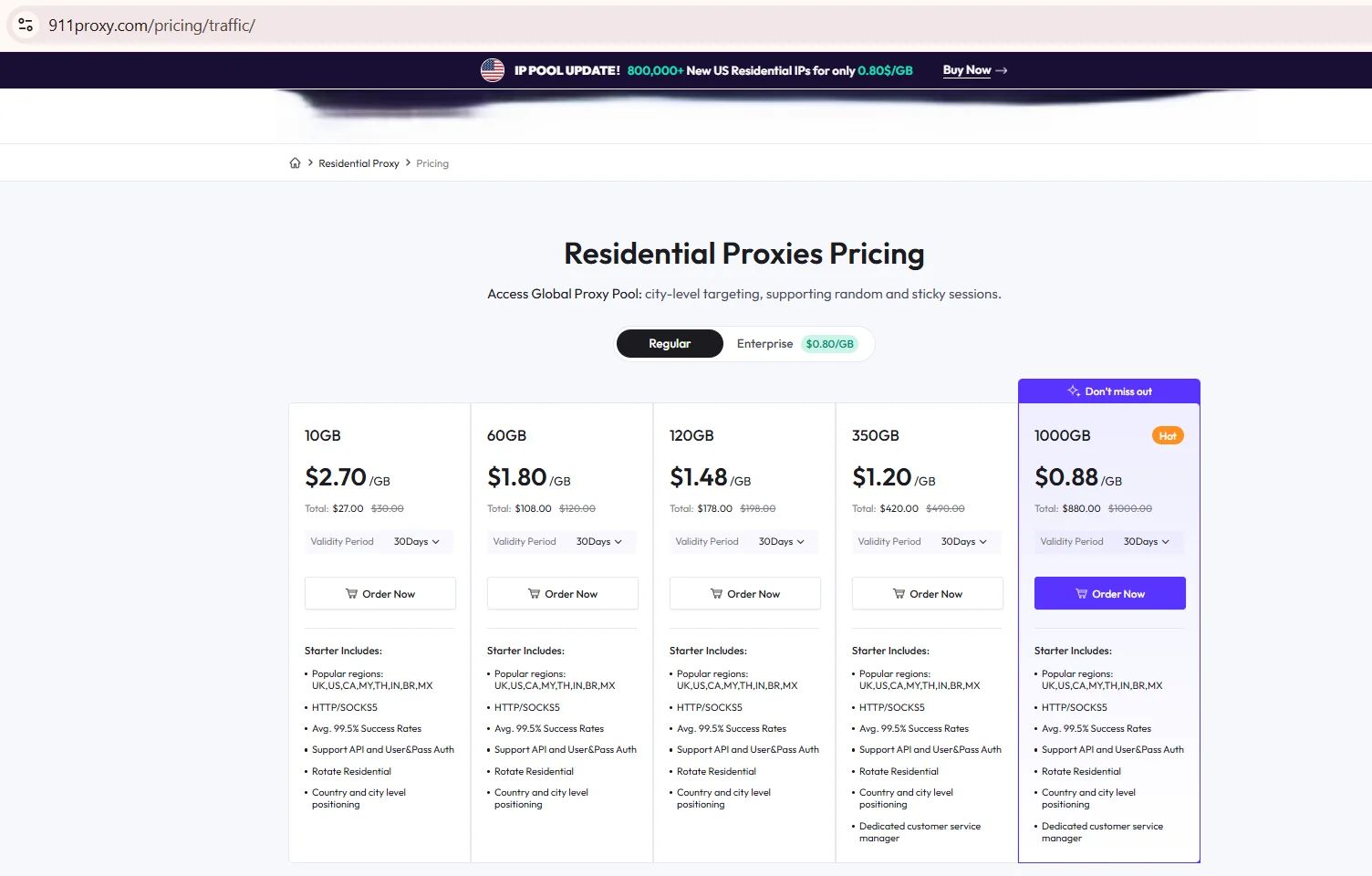
Source: Residential Proxies Pricing, 911proxy.com, screenshot taken 20.08.2026
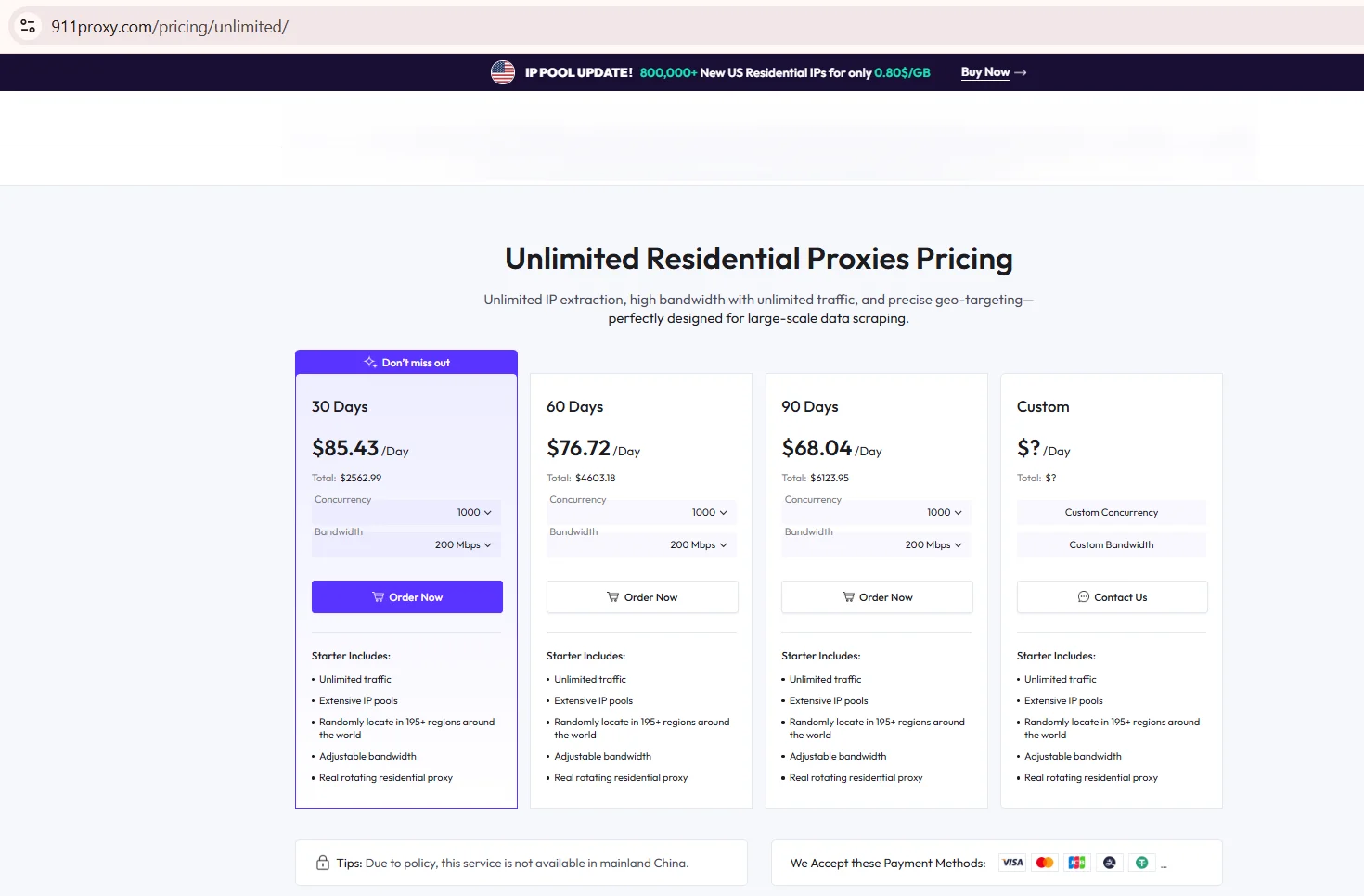
Source: Unlimited Residential Proxies Pricing, 911proxy.com, screenshot taken 20.08.2026
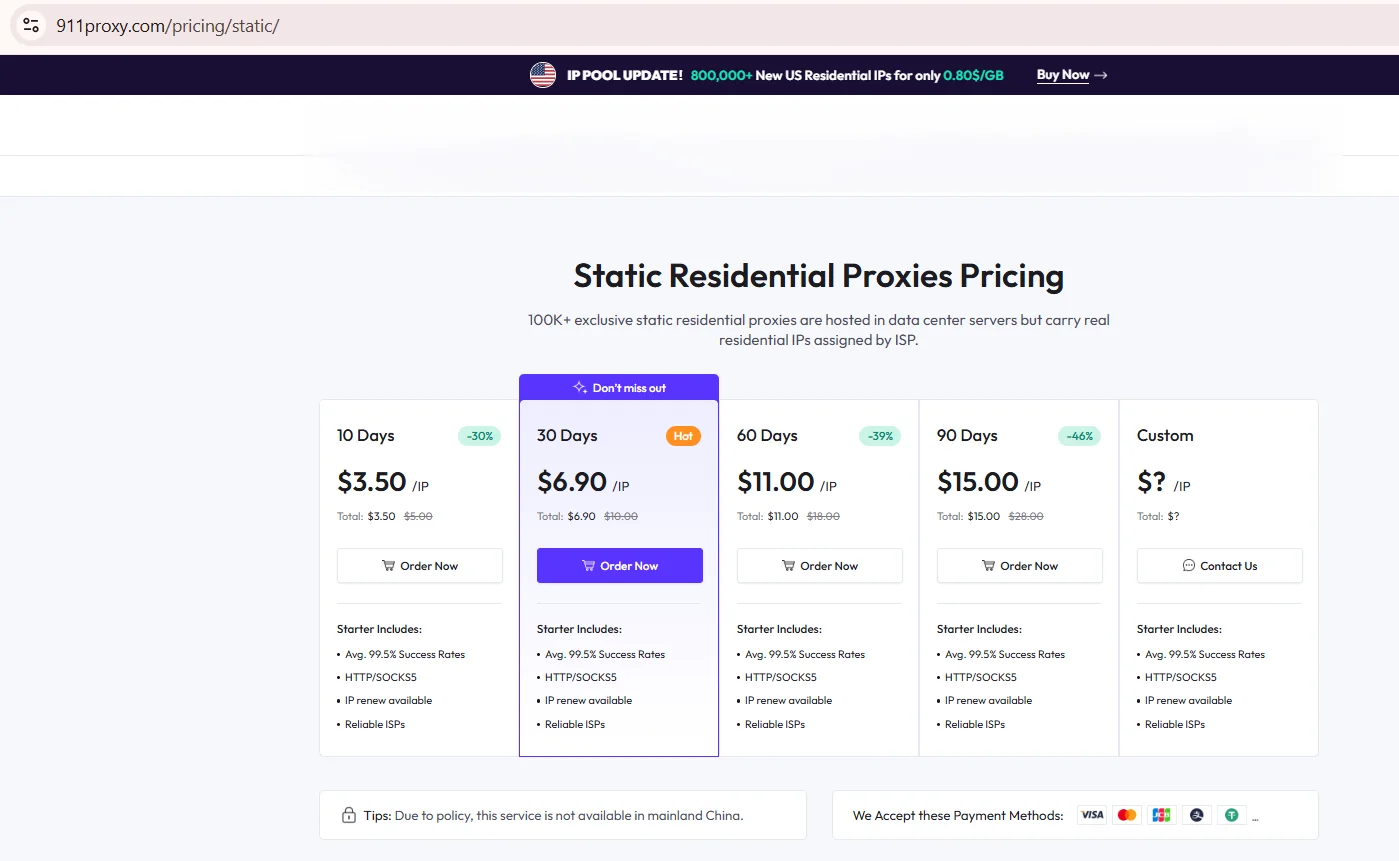
Source: Static Residential Proxies Pricing, 911proxy.com, screenshot taken 20.08.2026
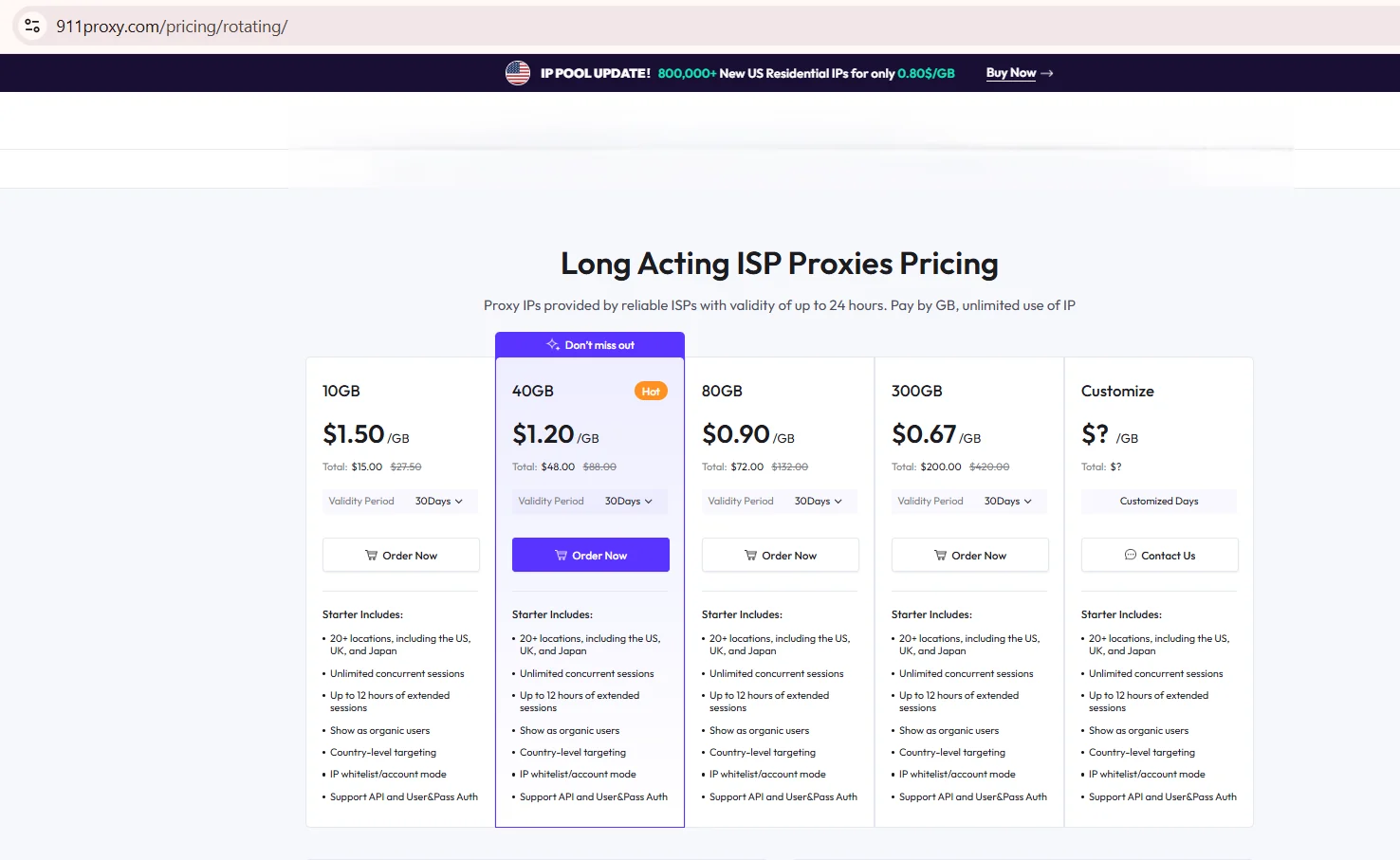
Source: Long Acting ISP Pricing, 911proxy.com, screenshot taken 20.08.2026
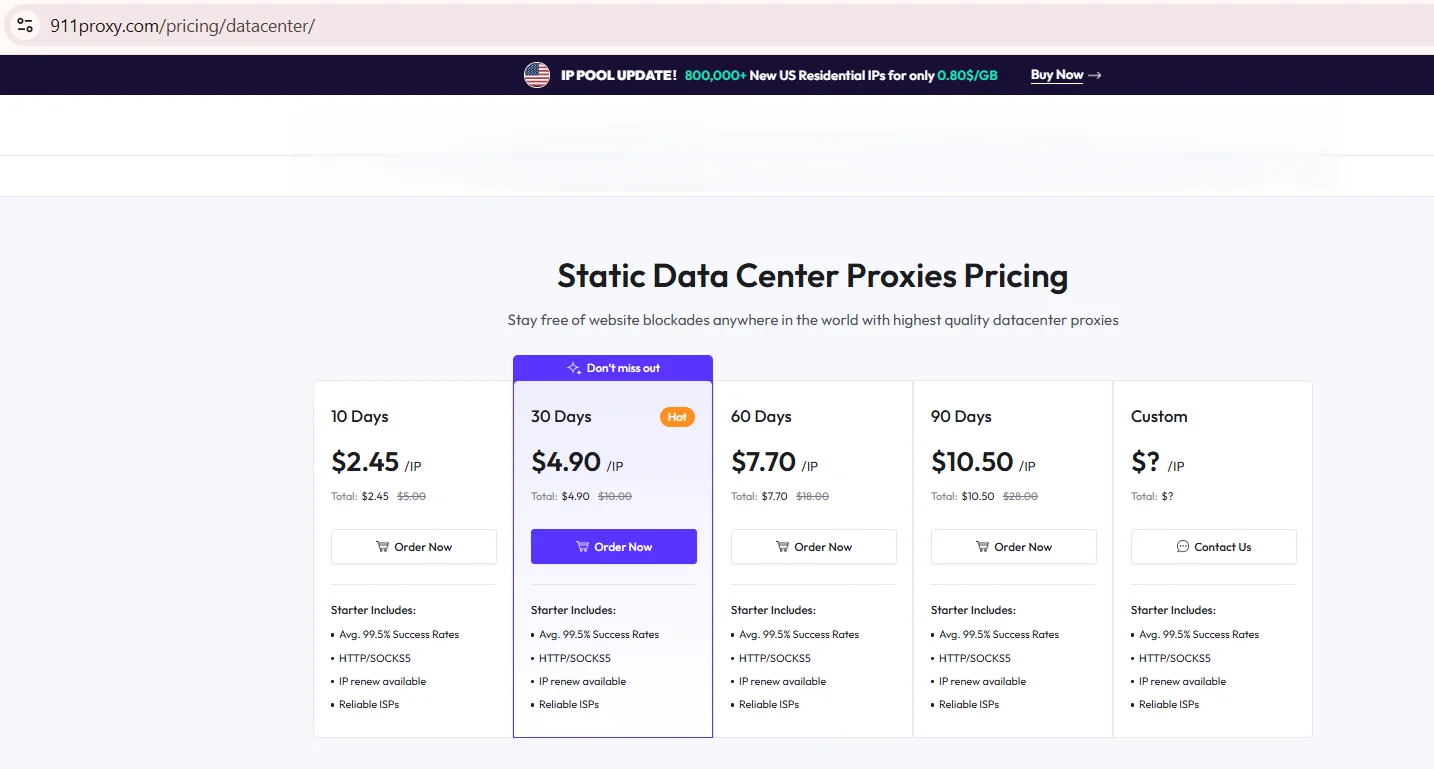
Source: Static Datacenter Proxies Pricing, 911proxy.com, screenshot taken 20.08.2026
Insocks publishes its own terms per product, so normalize both sides to one scenario before judging cost, for example 20 GB per month, or one dedicated session running eight hours a day for thirty days. Then calculate the resulting monthly figure for each model. Skipping that step and comparing headline price per GB is how budgets go sideways. Ordering steps on our side are walked through in buying a proxy.
Cost per successful request, not price per GB
Reading 911proxy pricing through price per GB alone misses the number that predicts real spend: cost per successful request. It folds the failure rate into the equation, which is what decides whether a cheap plan is actually cheap.
Formula: cost per successful request equals price per GB divided by average request size in GB, then divided by success rate.
Say a plan runs $4 per GB, an average request pulls 0.002 GB, and 92 percent of attempts succeed. Divide 4 by 0.002 for $0.008 per attempt, then divide by 0.92 for roughly $0.0087 per successful request. A cheaper GB rate paired with a weaker success rate can cost more per completed task, which is why the test section below fixes a minimum sample size.
Documentation, policies and published limits
Published documentation says more about reliability than a landing page ever will. 911Proxy maintains a user guide, a FAQ, a refund policy, an ethical sourcing page and a security and compliance page. Insocks publishes its terms and company details on the about page and its product terms on each product page, checked the same day for a fair read.
- ✅ User documentation published by both vendors
- ✅ FAQ covering traffic limits and payment methods, published by 911Proxy
- ✅ Refund policy published by both
- ✅ IP sourcing policy published separately by 911Proxy
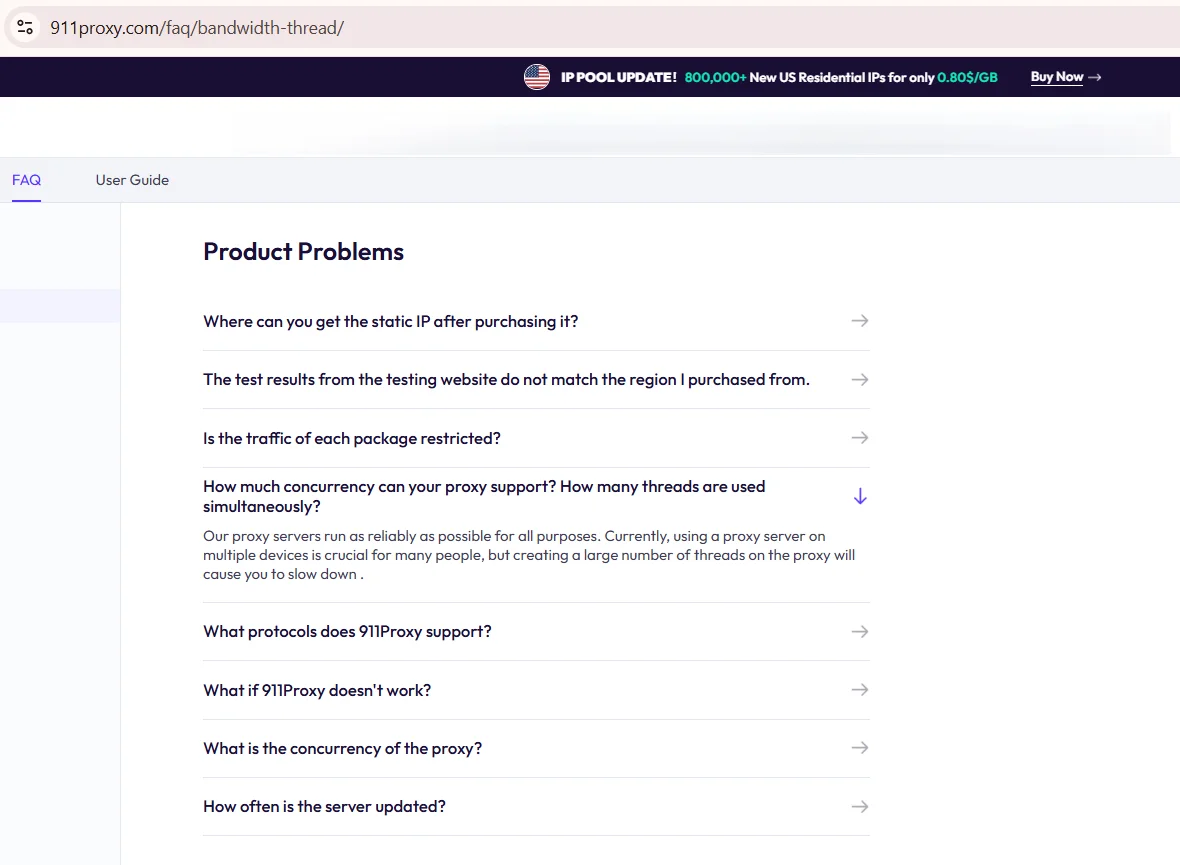
Source: FAQ, 911proxy.com, screenshot taken 20.08.2026
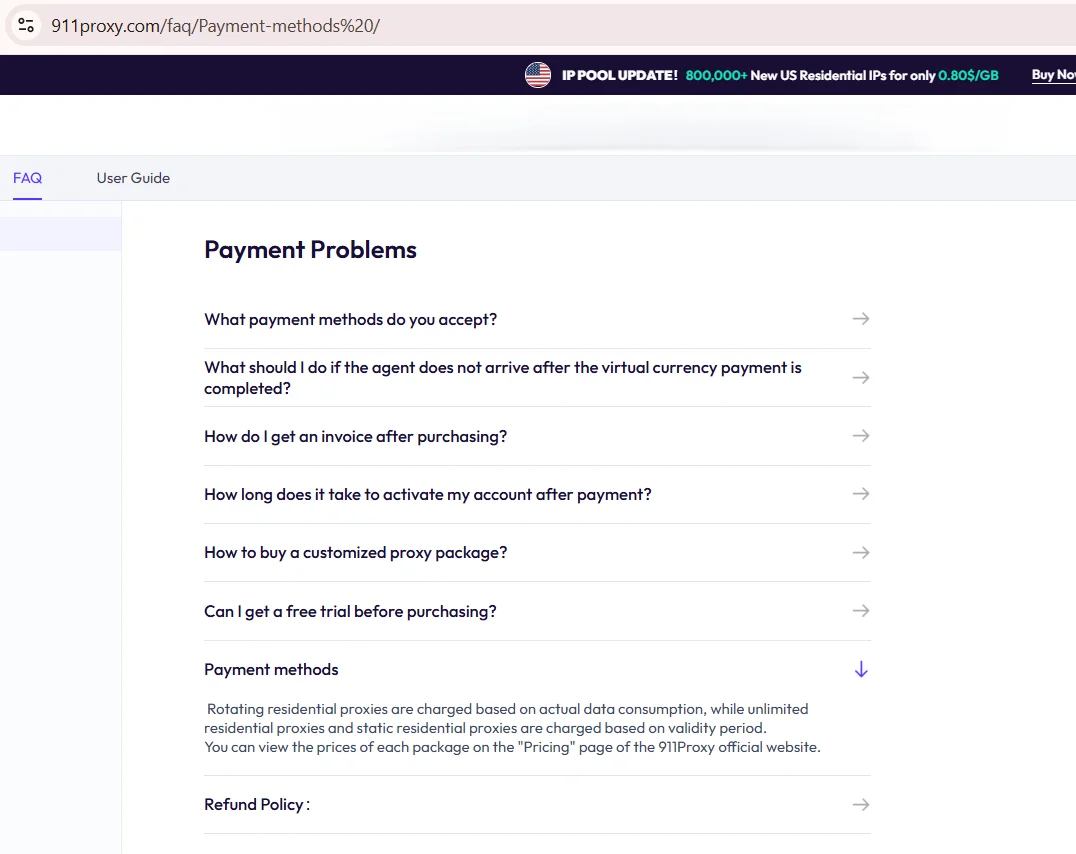
Source: FAQ, 911proxy.com, screenshot taken 20.08.2026 (continued)
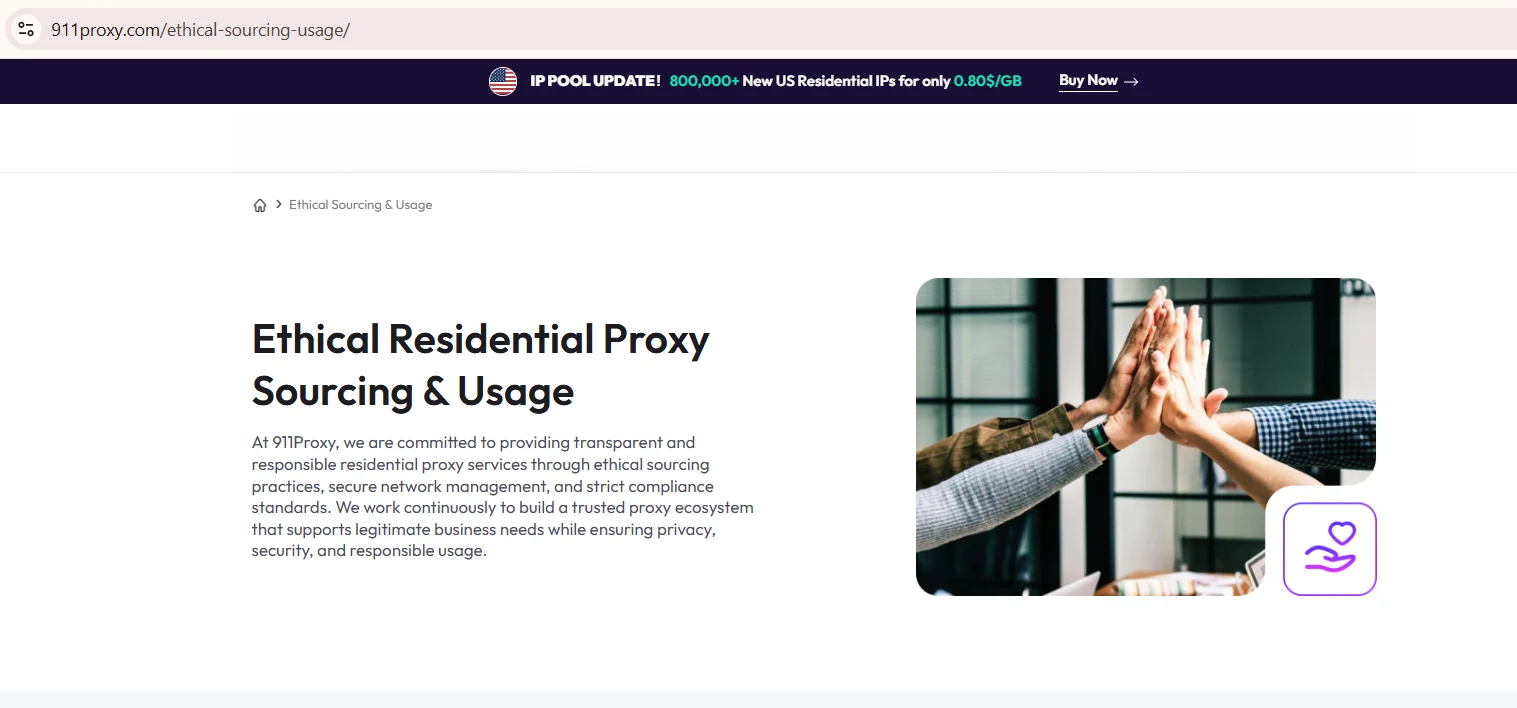
Source: Ethical Sourcing and Usage, 911proxy.com, screenshot taken 20.08.2026
Limits worth reading on the vendor’s own pages before signup include concurrent connection caps, payment rails that are not supported everywhere, and the geographic restrictions listed in the FAQ. None of these is an automatic dealbreaker; they simply have to match the planned workflow.
Which configuration fits which task
Buyers hunting for the best residential proxies for a given job should start from the task column, not the price column. Picking a configuration by task first and brand second saves both money and troubleshooting later. A scraping job firing thousands of short requests needs something different from an account manager holding one session open for hours.
| Task | What matters | Configuration that fits |
|---|---|---|
| Large scale scraping | Rotation speed, pool size, success rate | Rotating residential |
| Long session account work | Session stability, unchanged outgoing IP | Static residential IP |
| Fixed server automation | Consistent IP, whitelisting | ISP proxy |
| High volume, cost sensitive jobs | Cost per successful request, uptime | Unlimited bandwidth plan |
| Non-HTTP and real-time traffic | Documented UDP support | UDP capable endpoint |
911Proxy network uptime figures on the vendor’s own site should be read as a statement rather than an audited number. Where the choice is between pool types rather than vendors, see residential vs mobile.
How to run a fair test before you commit
A short trial beats a leap of faith, and a fair one puts both providers through identical conditions with fixed thresholds so the results cannot be cherry-picked afterwards.
- Run at least 200 requests per provider against the same target within the same timing window.
- Record latency as p50 and p95, because averages hide the slow tail.
- Test sticky sessions at the 10, 30 and 60 minute marks to see how long an IP actually holds.
- Check geolocation against an independent geolocation service, never the provider dashboard.
- Log success rate and error types separately so one bad batch does not skew the average.
- Feed the results into the cost per successful request formula above and compare the two figures.
Anyone weighing a 911 proxy alternative should keep the raw logs, because a dashboard screenshot is not the same evidence as a timestamped request log. If an address behaves inconsistently between runs, check its reputation with the proxy score tool before drawing conclusions about the provider.
Key takeaways
- 911.re closed in 2022 and this article draws no link between it and the active site reviewed here.
- Compare matching categories only: residential against residential, ISP against ISP.
- Entry prices are list prices at the lowest tier and change with volume and promos, so verify on the day you buy.
- Cost per successful request is the figure that predicts spend, not price per GB.
- Run a fixed threshold test, 200 requests minimum, before committing budget either way.
Disclosure and data sources
All data in this article, including prices, tariff tiers, limits and product availability, is accurate as of the publication date shown on this page. Vendor terms change frequently and without notice, entry tiers move with volume, and promotional pricing may apply on the day you read this. Nothing here is an offer, a guarantee of current terms, or a recommendation to buy.
This article is published by Insocks, one of the two services compared here, and Insocks has a commercial interest in the outcome. There is no affiliation with 911Proxy: it did not sponsor, review or approve this piece, and every figure attributed to it was taken from its own website and documentation on the date noted above. Information about the discontinued 911.re service comes from cited primary sources tied to a separate domain, and no relationship between 911.re, 911 S5 and the active 911proxy.com site is claimed or implied.
All product names, brand names and trademarks mentioned belong to their respective owners and are used for identification purposes only. Before buying, open the official pricing page rather than relying on this snapshot. You can also open an Insocks account and run the test described above on both sides yourself.
Frequently asked questions
Is 911Proxy the same company as 911.re or 911 S5?
No. They are separate domains and separate services. 911.re stopped operating in July 2022 and the 911 S5 botnet was dismantled in May 2024, while 911proxy.com is currently active. No relationship between them is claimed here.
What is the main difference between 911Proxy and Insocks?
Product mix and billing shape. 911Proxy sells per GB, per IP and per unlimited period across five lines including datacenter, while Insocks sells per product plan and lists mobile and UDP endpoints that 911Proxy does not document.
Do both providers document SOCKS5 with UDP support?
Both document SOCKS5 and HTTP. UDP is documented only on the Insocks side, as a separate product line; 911Proxy does not publish UDP support.
How do I compare plans with different billing units?
Normalize both to one usage scenario, for example 20 GB a month or one eight-hour session daily for thirty days, then compare the resulting monthly cost rather than the headline unit price.
Which provider offers static residential IPs and how are they billed?
Both offer them. 911Proxy bills static residential per IP, from $3.50 per IP at the lowest published tier in August 2026, while Insocks publishes its static terms on the product page.
How do I verify a pool size or uptime claim?
Treat it as a vendor statement, since neither side publishes an independent audit. Open the provider locations page for the claimed figure, then measure success rate and latency yourself on a fixed sample.