
UDP proxy server providers: who really supports UDP
A UDP proxy server forwards datagram traffic, not just TCP connections, and that decides whether gaming, VoIP, or DNS tools work at all. Real UDP support only exists on SOCKS5, through the UDP ASSOCIATE command, so a provider claiming "UDP" without documentation deserves a second look. This page lists providers that document UDP ASSOCIATE and shows how to test the claim.
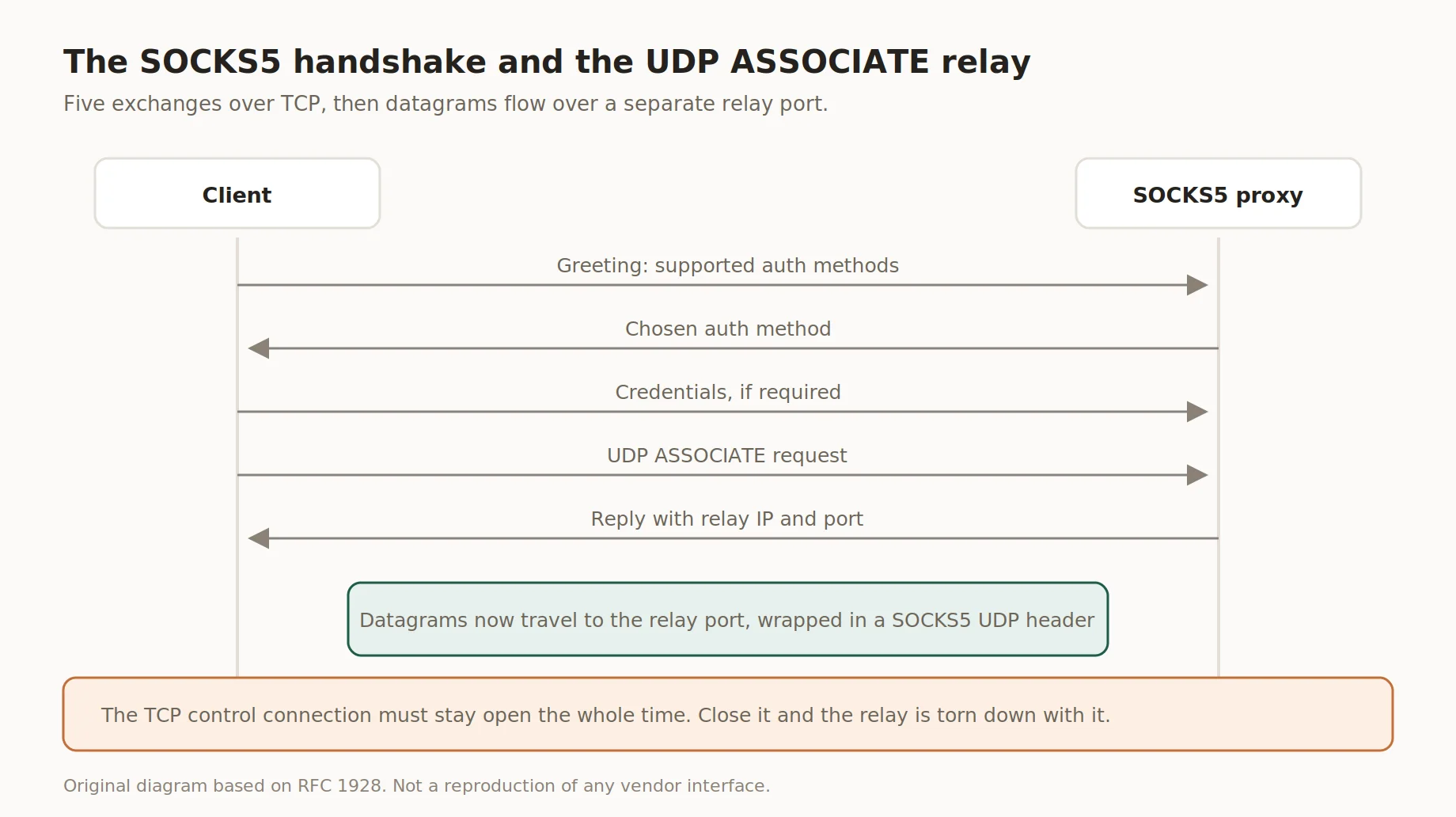
The SOCKS5 handshake and the UDP ASSOCIATE relay
Legend used in every table below: ✅ documented by the vendor · ❌ not offered or not documented · ⚠️ documented with limits · 💡 practical tip. No other marks are used on this page.
Why UDP support is rare
Most commercial proxies handle only TCP, since HTTP and https rely on the CONNECT method, never built for datagrams. A UDP proxy server needs a different command set, living inside the SOCKS5 protocol, not HTTP. 💡 If a listing says "UDP support" but the page only mentions HTTP or HTTPS, treat that claim as unverified. Requesting UDP ASSOCIATE and exchanging wrapped datagrams is covered in our dedicated SOCKS5 and UDP breakdown.
Providers with documented UDP support compared
Below is a snapshot of providers whose own pages document the SOCKS5 protocol and UDP support, alongside Insocks. Each entry publishes a price on its site and either confirms or denies UDP in its own documentation. A UDP proxy server listing only counts here if the help center or product page states it directly.
| Criterion | SOAX | Decodo | IPRoyal | Oxylabs | Bright Data | Insocks |
|---|---|---|---|---|---|---|
| Service model | Residential, mobile, ISP, DC | Shared/dedicated ISP | Dedicated ISP list | Shared/dedicated ISP | Shared/dedicated ISP | SOCKS5, UDP included |
| SOCKS5 documented | ✅ | ✅ | ✅ | ✅ | ✅ | ✅ |
| UDP associate documented | ✅ SOCKS5 over TCP and UDP on the site | Not documented | ✅ UDP and TCP connections listed | Not documented | Not documented | ✅ |
| Allowed ports | Not published | Not published | Not published | Not published | Not published | Not published |
| Pool type | Rotating, static | Rotating, static | Static list | Rotating, static | Rotating, static | Static/rotating |
| Billing unit | Not published | $0.27/IP shared, $2/IP dedicated, $1.30/GB | $4/IP | $1.6/IP | $8/GB list, $4/GB under a coupon | See pricing page |
Two notes on reading the table. A cell marked not documented means the provider says nothing about UDP or QUIC on its own product and pricing pages, which is not the same as saying the feature is absent: SOAX, IPRoyal and Insocks state their UDP support in writing, while Decodo, Oxylabs and Bright Data leave it unaddressed. And the Bright Data figure is a list rate shown next to a discounted one under a coupon, so check which of the two applies on the day you buy.
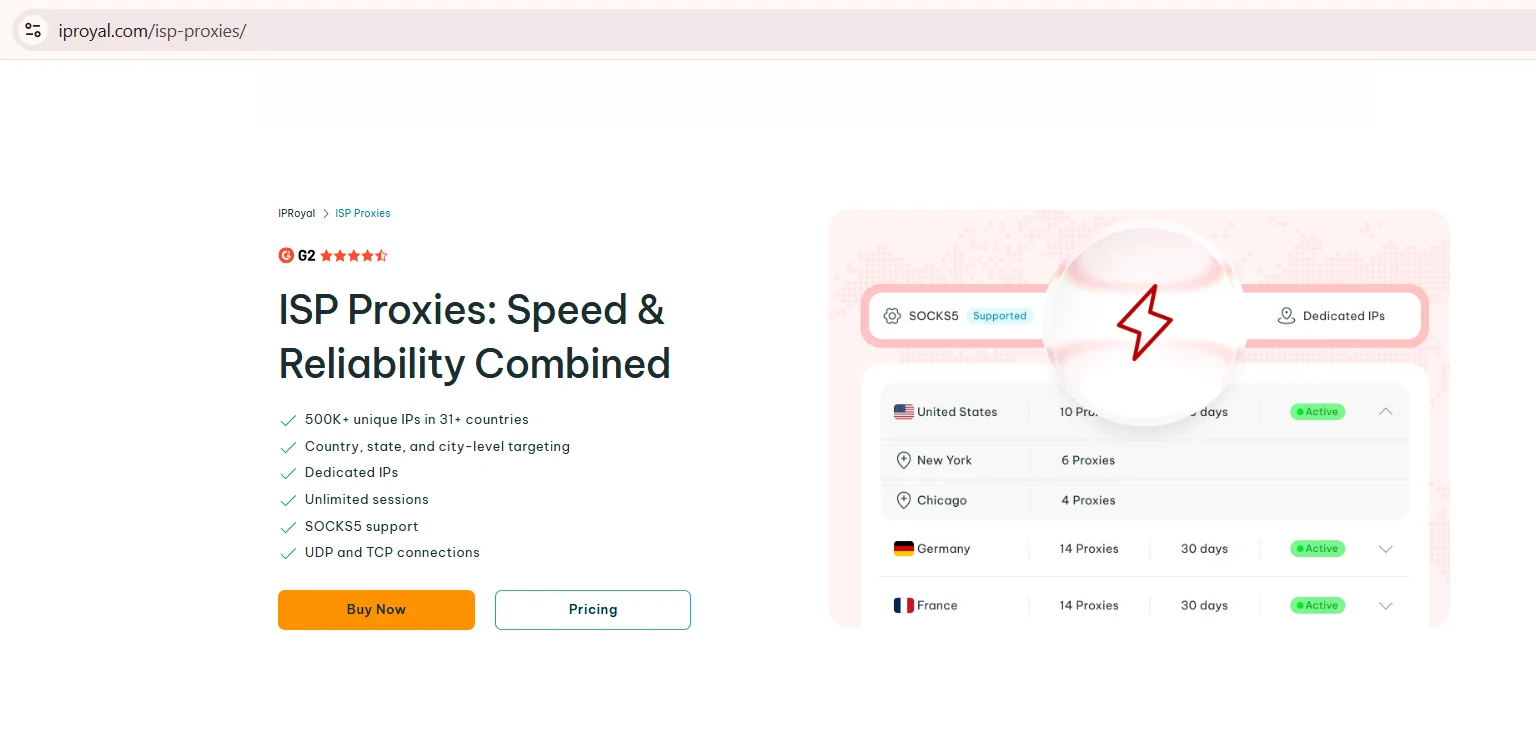
Source: ISP Proxies, features block, iproyal.com, screenshot taken 21.08.2026
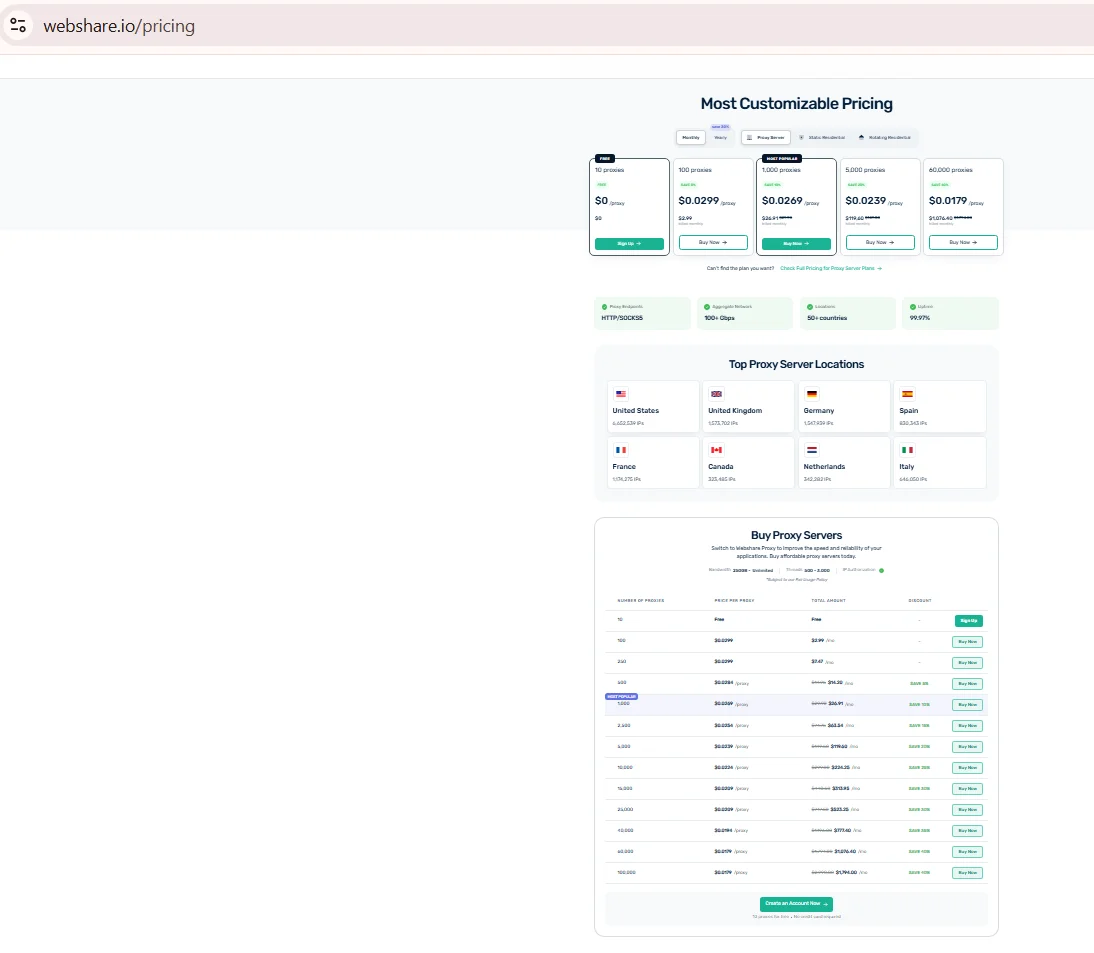
Source: ISP Proxies Pricing, oxylabs.io, screenshot taken 21.08.2026
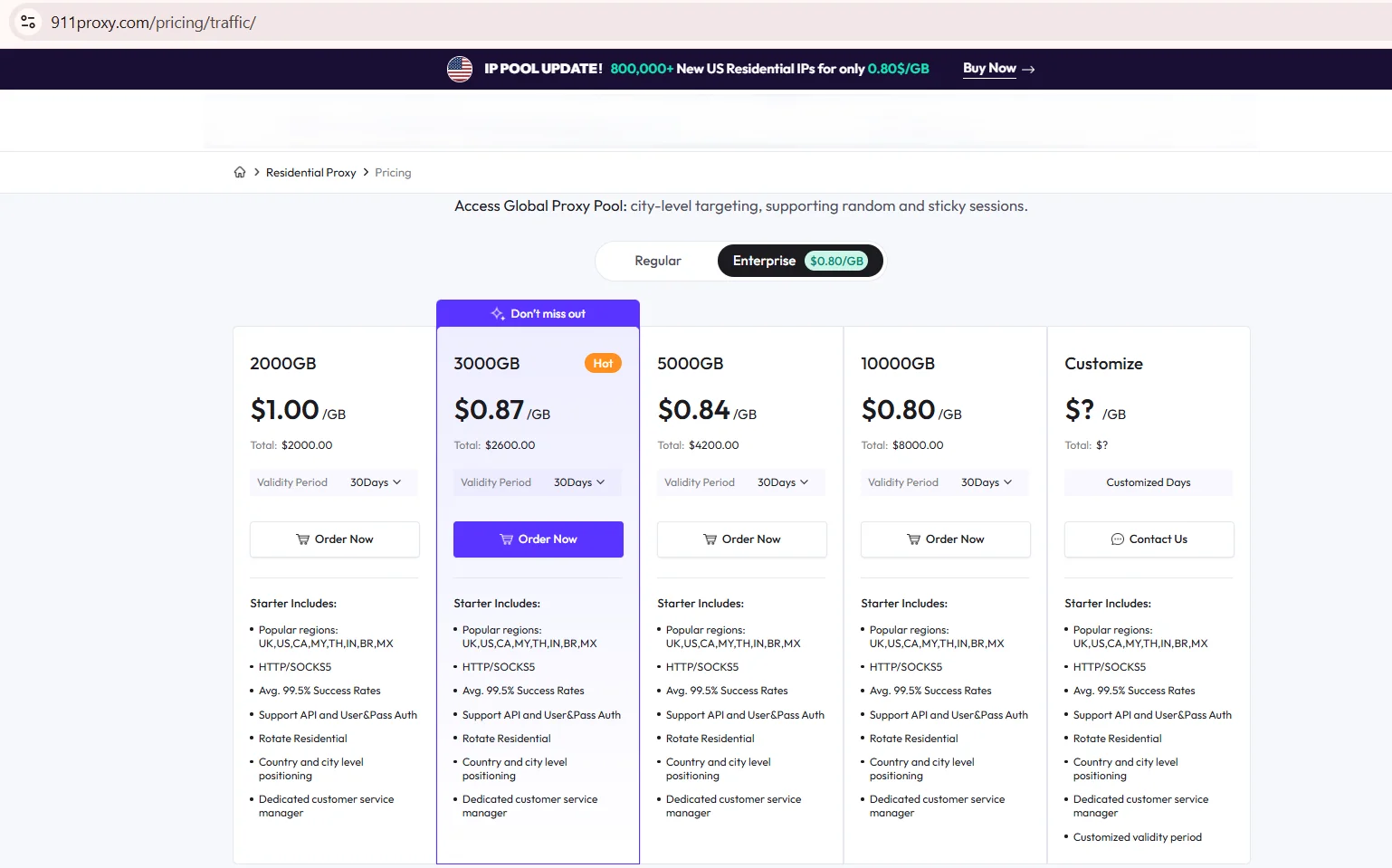
Source: Proxy Networks Pricing, residential tab, brightdata.com, screenshot taken 21.08.2026
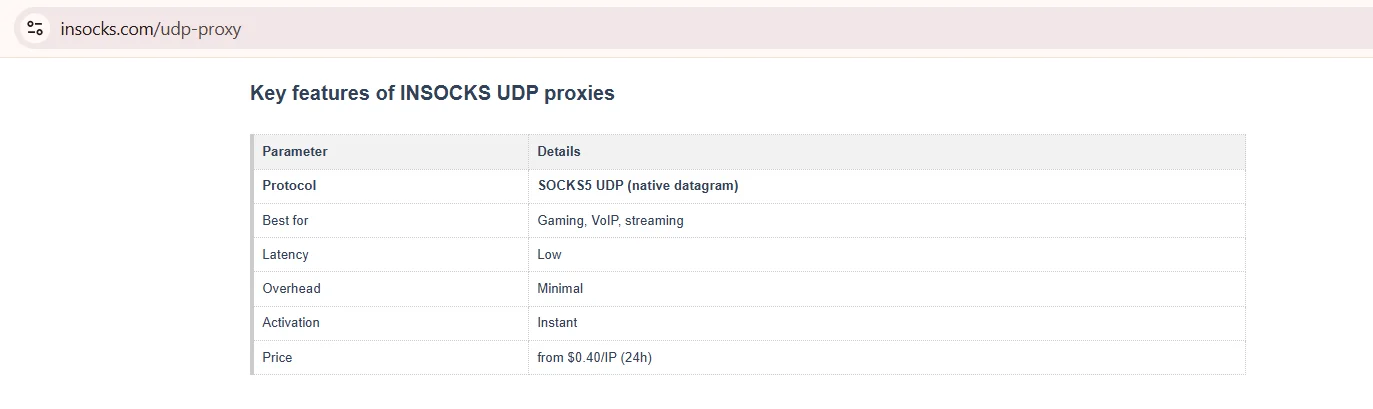
Source: Key features of INSOCKS UDP proxies, insocks.com, screenshot taken 21.08.2026
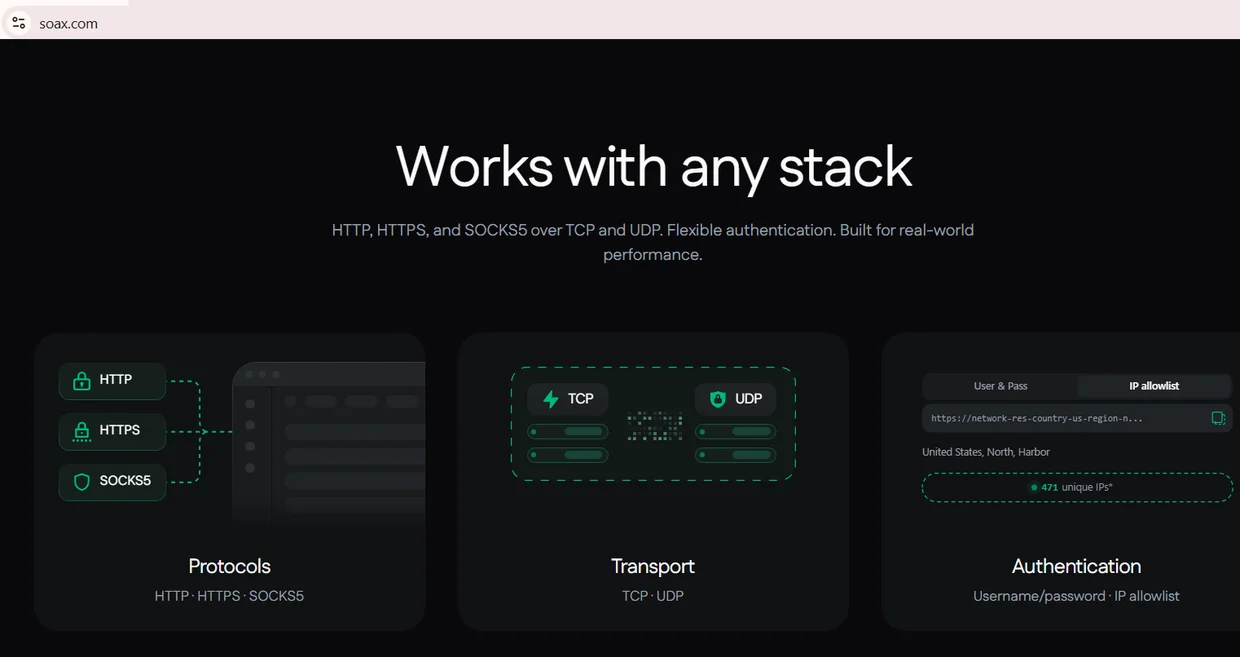
Source: Works with any stack, protocols and transport, soax.com, screenshot taken 21.08.2026
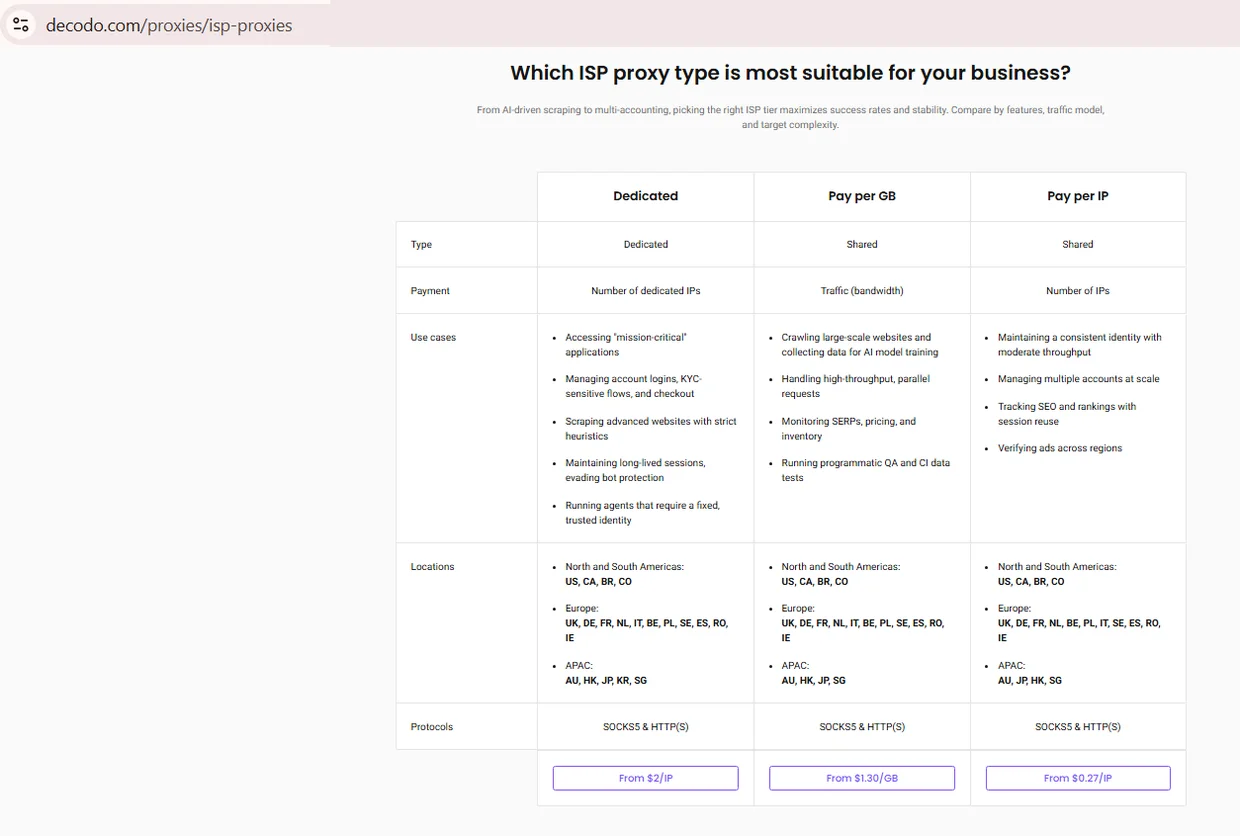
Source: ISP Proxies comparison, decodo.com, screenshot taken 21.08.2026
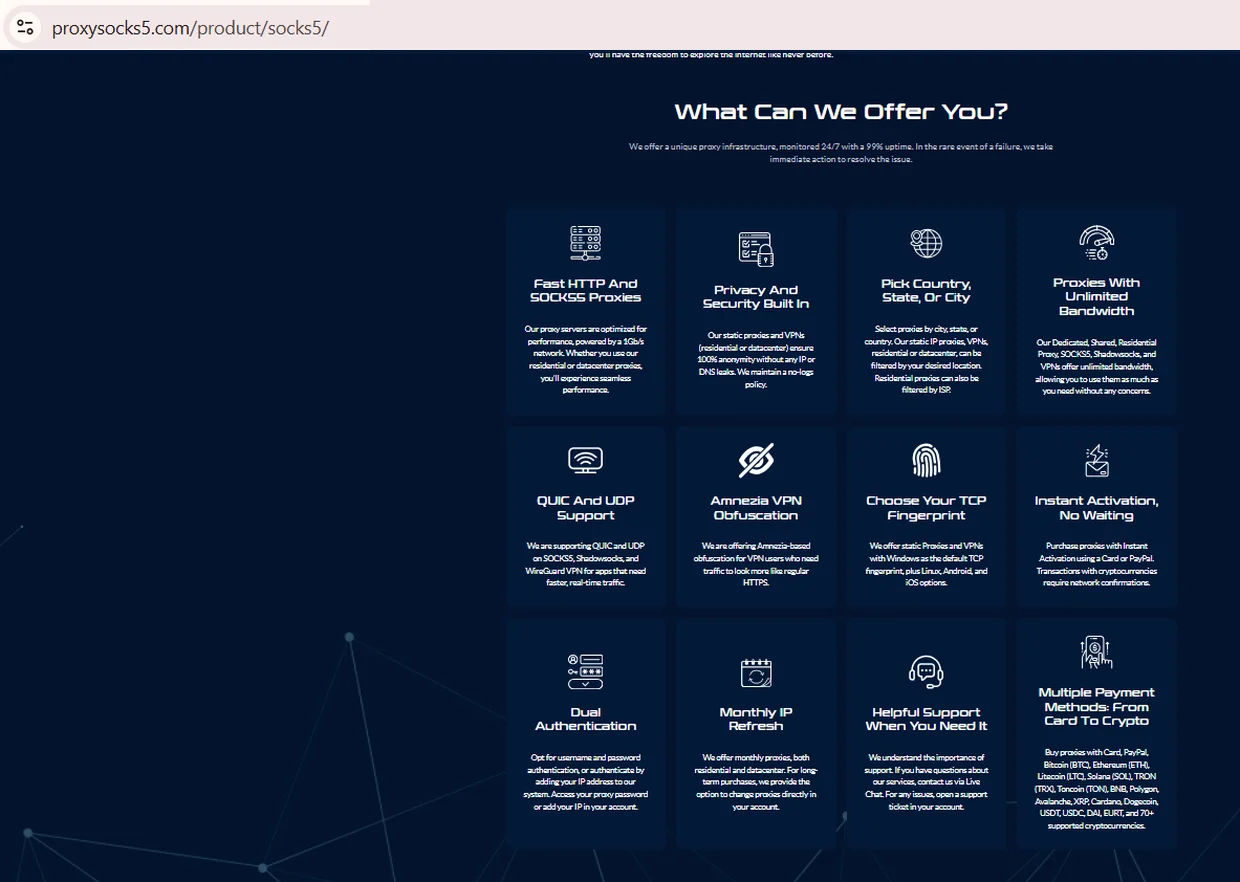
Source: SOCKS5 Proxy product page, feature cards, proxysocks5.com, screenshot taken 21.08.2026. ProxySocks5 is not one of the six providers compared above; the card is shown as an example of a vendor that states QUIC and UDP support explicitly.
Data as of August 2026. Prices and port ranges change often; confirm current numbers on the provider's own pricing page before buying.
Shopping for a UDP proxy server on marketing text alone is how mismatched purchases happen, so treat the row above as a starting point.
Where UDP traffic actually matters
A UDP proxy earns its keep in a handful of specific workloads, not everyday browsing. DNS over UDP resolves faster than its TCP fallback, QUIC and HTTP3 traffic is UDP by design, and real time voice or video tests need low latency TCP retransmission can't offer. Below are the cases where routing through it changes the outcome:
- ✅ DNS resolution through the proxy instead of the local resolver
- ✅ QUIC and HTTP3 connections used by modern web services
- ✅ voip traffic testing for latency and jitter before a rollout
- ✅ Legitimate research into real time service behavior, within platform terms and US law
None of these scenarios involve bypassing platform rules or masking prohibited activity. They cover testing, monitoring, and legitimate data collection, work QA teams already do daily. A UDP proxy used outside these cases just adds complexity, and this stays compatible with lawful business operations in the United States.
How to verify a UDP support claim
This is the part most buyers skip entirely, and it's the single verification step that actually protects a purchase before checkout day fully and finally arrives. A written claim of "UDP support" means little without a test confirming a genuine SOCKS5 UDP proxy relay works end to end, including a real DNS over UDP request. Run this check before committing to any plan, gaming or otherwise.
- Configure a test client to use SOCKS5 against the proxy endpoint.
- Send a UDP ASSOCIATE request and confirm it returns a relay address.
- Fire a DNS query through the relay and check if it returns over UDP.
- Compare the outgoing IP seen by the destination against the proxy's IP.
- Repeat 200+ times for a meaningful loss and latency measurement, p50 and p95.
💡 If the DNS answer only arrives after the client silently reopens a TCP socket, that's the encapsulation pattern, and it should be logged as "not documented." A provider that passes every step above is worth calling a SOCKS5 UDP proxy in the strict sense of the term. That distinction is worth writing down before signing up for any annual or high-volume plan, since switching providers later costs real time and money.
Ports, limits and what providers publish
Every provider publishes a different slice of technical detail, and the gaps matter as much as what's disclosed. That's true whether the plan costs $4 or $400 a month. A UDP proxy server listing is only as trustworthy as the documentation behind each item. The table below shows what to check and where it tends to be published.
| Parameter | What to verify | Where documented |
|---|---|---|
| Port restrictions | Which UDP ports are open | Provider knowledge base or FAQ |
| Session timeout | How long a UDP association stays valid | API docs or support ticket |
| Packet size limit | Max datagram size before drop | Rarely published, ask support |
| Fallback behavior | Whether it silently switches to TCP | Not published by most providers |
| Protocol scope | Which plan tiers include UDP | Pricing or plan comparison page |
A UDP proxy that hides its port range isn't automatically untrustworthy, but it needs direct confirmation before signup. Treat an unanswered support ticket as a signal worth noting on its own, not definitive proof either way.
UDP proxy vs VPN for real-time traffic
Picking between the two isn't always obvious. Comparing proxy types side by side clarifies which one actually fits a given workload before any real money ever changes hands. A gaming proxy built on SOCKS5 and a VPN solve overlapping problems differently, and the choice depends on whether an app supports SOCKS5 natively or needs whole-device tunneling. This setup routes only the traffic pointed at it, while a VPN wraps every packet leaving the device, adding overhead a plain SOCKS5 endpoint doesn't carry.
| Criterion | UDP proxy | VPN |
|---|---|---|
| Scope | Per app or connection | Whole device |
| Overhead | Minimal, no built-in encryption | Encryption adds processing time |
| Setup | Per app SOCKS5 config | System-wide client |
| Session control | Fine-grained, IP per session | One tunnel for all traffic |
| Best fit | Testing, scraping, low-latency gaming | Full network privacy |
Neither option is universally better, and the pick depends on whether the workload needs selective routing or a blanket tunnel. A gaming proxy setup, for instance, usually only needs the game client pointed at SOCKS5, leaving the rest of the device untouched. Testing it under real, everyday conditions still beats trusting a spec sheet alone.
Common mistakes and unverifiable claims
Even careful buyers fall into predictable traps here. Most bad purchases trace back to skipping verification, not to plain bad luck in a crowded market. A UDP proxy server search turns up plenty of marketing copy, and separating fact from wishful phrasing takes a few extra minutes. The list below covers recurring gaps in how people check these claims.
- ❌ Treating "SOCKS5 supported" as proof of UDP ASSOCIATE
- ❌ Skipping the DNS-over-UDP test, trusting the sales page instead
- ❌ Running under 200 requests, then judging loss from a few samples
- ❌ Assuming a port range that was never published officially
- ❌ Ignoring whether the purchased tier actually includes UDP
How Insocks handles UDP traffic
Disclosure: Insocks is our service, and this section describes our own product, not a competitor's. Our SOCKS5 UDP proxy plans document UDP ASSOCIATE support directly on product pages, with the same verification steps above applying to our endpoints too.
| Feature | What it means in practice |
|---|---|
| SOCKS5 with UDP | UDP ASSOCIATE documented on product pages |
| Session handling | TCP channel stays open for the UDP session |
| Testing support | Same verification steps as any other provider |
| Use case fit | Suited to DNS, QUIC, and real time voice testing |
Teams running a voip proxy test can point their SIP or RTP client at the same endpoint with no extra setup, using the same table format as every provider on this page.
Curious how this holds up under real, everyday network conditions in practice? Ready to test a UDP proxy server against your own workload? Try a demo endpoint or register for full access.
Key takeaways
- Real UDP support needs SOCKS5 with documented UDP ASSOCIATE.
- HTTP and HTTPS proxies cannot forward UDP traffic natively.
- A DNS-over-UDP test with 200+ requests confirms a claim fastest.
- Compare like-for-like only: SOCKS5 with SOCKS5, ISP with ISP.
- Missing documentation means "not published," never a guess.
Disclosure and data sources
All data in this article, including prices, tariff tiers, limits and product availability, is accurate as of the publication date shown on this page. Vendor terms change frequently and without notice, entry tiers move with volume, and promotional pricing may apply on the day you read this. Nothing here is an offer, a guarantee of current terms, or a recommendation to buy.
This article is published by Insocks. Insocks is one of the services listed and we have a commercial interest in it. We are not affiliated with any other provider mentioned; none sponsored or reviewed this article. Third-party data was taken from providers' own pages in August 2026 and may be promotional. All trademarks belong to their respective owners and are used for identification only.
Frequently asked questions
Short, direct answers to the questions buyers ask most before picking a plan.
What is a UDP proxy server?
It's a proxy that forwards UDP datagrams, usually via the SOCKS5 UDP ASSOCIATE command, not just TCP.
Can an HTTP proxy handle UDP traffic?
No, HTTP and HTTPS proxies only support TCP via CONNECT, so UDP needs SOCKS5.
How do I test whether a proxy really supports UDP?
Send a DNS query over UDP through it and confirm the answer returns without a TCP fallback.
Does UDP proxying work for DNS queries?
Yes, DNS over UDP is one of the most reliable ways to confirm real UDP support.
Which pool type suits UDP workloads?
Static IPs suit consistent sessions best; rotating pools fit short, repeated test requests.
Why do providers restrict certain ports?
Port limits reduce abuse risk and server load, though exact ranges are rarely published.